How to Photograph Gothic Outfits: Black Clothes, Dark Makeup & Low Light Without Losing Detail
Black gothic outfits are hard to photograph: cameras turn rich black velvet grey, swallow lace and hardware detail, and blow out pale skin while clothes vanish into shadow. The fix is not a better camera — it is metering for the face, adding side light for texture, and choosing a background that lets black read as black.
Why Black Clothes Fool Your Camera
Every phone and camera meter assumes the scene averages out to middle grey. A frame dominated by black clothing breaks that assumption, so the camera brightens the whole image to reach grey — and a black jacket turns washed-out charcoal while skin goes pale and flat. Against a bright sky or white wall the opposite happens: the camera darkens everything and the outfit becomes a silhouette.
Once you understand this, most gothic photo problems make sense. Washed-out blacks mean the camera overexposed for the dark clothes. A floating-head effect against a dark background means no separation between outfit and backdrop. Blurry gig photos mean the shutter stayed open too long in low light.
The 30-Second Phone Setup
These three settings fix most bad gothic photos on their own.
Meter on the face, then lock it
Tap and hold on the face to lock focus and exposure, rather than letting the camera re-meter every time you reframe. Sliding down after locking lowers exposure by a third to two-thirds of a stop — usually enough to bring black fabric back to black without darkening the whole photo.
Turn off auto-HDR for outfit shots
HDR blends several exposures and often lifts shadows so aggressively that black velvet looks dusty grey. For a single outfit photo in decent light, one well-exposed frame looks moodier and more accurate.
Shoot at the highest quality you have
If your phone offers a RAW mode, use it for outfit photos you plan to edit: compressed images throw away exactly the shadow detail you need later. Avoid digital zoom — walk closer instead, because zooming crops the sensor and makes dark areas noisier.
Light: Side Light Is Your Best Friend
Front light — a phone flash, a ring light aimed straight at you, or midday sun — flattens texture. It fills in every fold and shadow that makes velvet, lace, brocade, and leather read as themselves. Side light does the opposite: raking across the fabric, it carves out every ridge, stitch, and stud.
The easiest side light is a window. Stand beside a large window, not in front of it, with light falling across your body at roughly 90 degrees. Late-afternoon window light is soft enough to flatter skin and directional enough to show texture. Outdoors, open shade or golden hour work the same way.
Direct flash is the enemy of gothic texture. It bounces off shiny hardware, flattens matte fabric, and creates the deer-in-headlights look. If you must shoot at night, step toward the nearest steady light — a shop window, street lamp, or venue wall-washer — and let it act as side light instead.
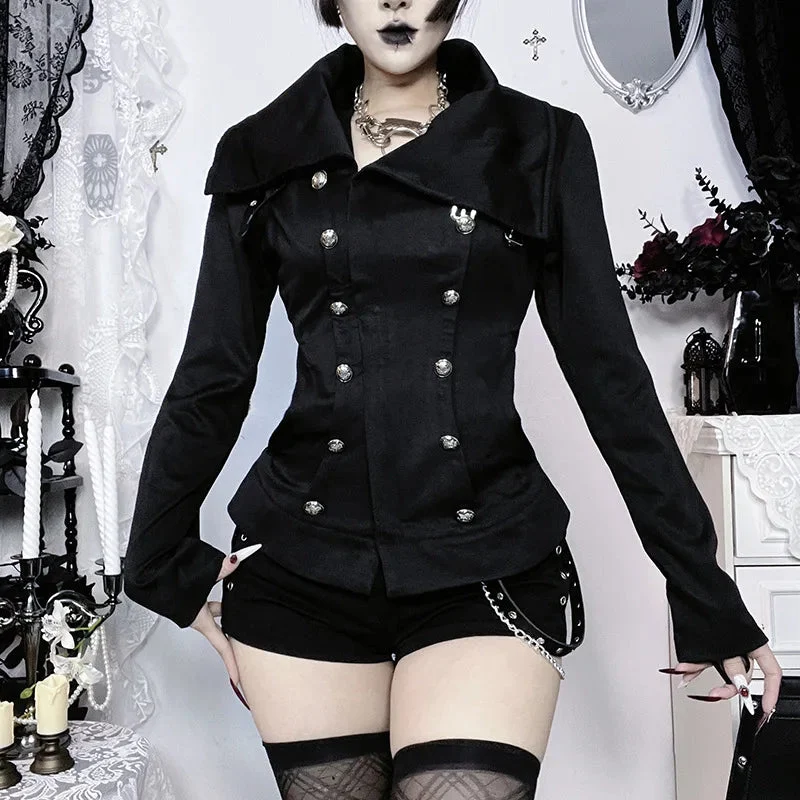
A structured piece with strong lines reads best in side light. The Noir Commander Gothic Jacket is a good example: its military shoulders and front detailing only register when light moves across them, not head-on.
Backgrounds That Keep Black Visible
Black on black is the classic gothic photo trap. Against a dark wall, doorway, or night sky, an all-black outfit loses its outline and the photo becomes a floating head. You do not need a bright background — you need separation.
Three options work reliably. First, a mid-tone background: grey stone, weathered wood, brick, or autumn foliage all sit lighter than black without competing with it. Second, a textured background: a rough wall or iron gate gives the eye something to compare the fabric against. Third, rim light: a light source behind you, even a distant lamp, traces a thin bright edge around your silhouette.
Pose for the Outfit, Then Shoot the Details
Shoot in this order: one full-body frame for proportions, one three-quarter frame for layering, then close-ups of the details that make the outfit yours — hardware, embroidery, hat trim, and shoes.
For the full-body shot, stand at a slight angle rather than square to the camera, with one foot forward. This creates depth, shows how layers fall, and stops a long coat from reading as a flat rectangle. For mirror selfies, angle the phone slightly downward and step back further than feels natural.
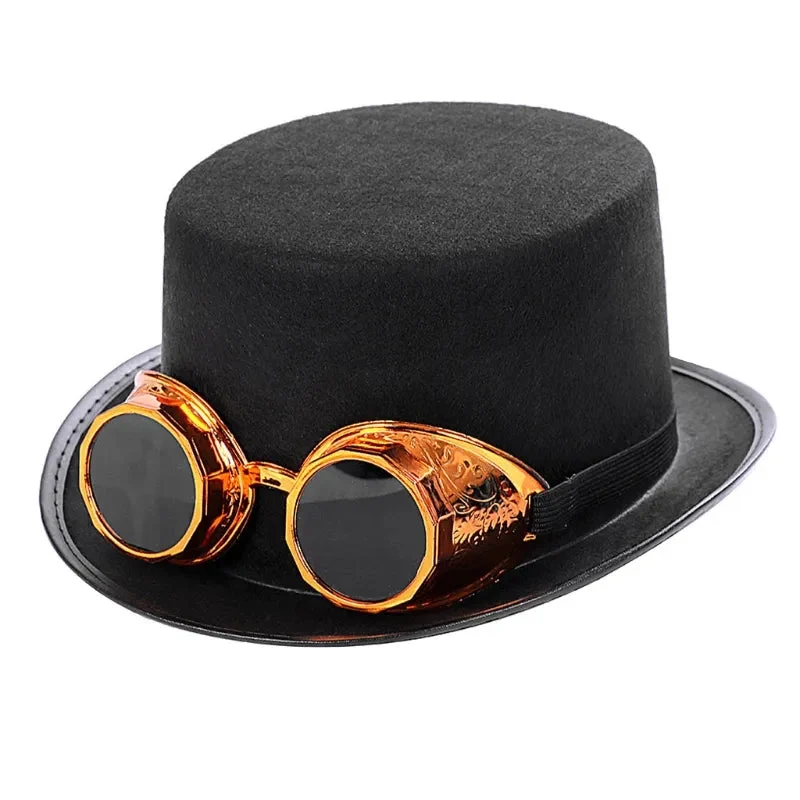
Accessories deserve their own frames. The Steampunk Gothic Hat, with its detachable goggles and structured crown, is the kind of piece a wide shot flattens: shoot it from a three-quarter angle in side light so goggles, band, and brim each catch their own highlight.
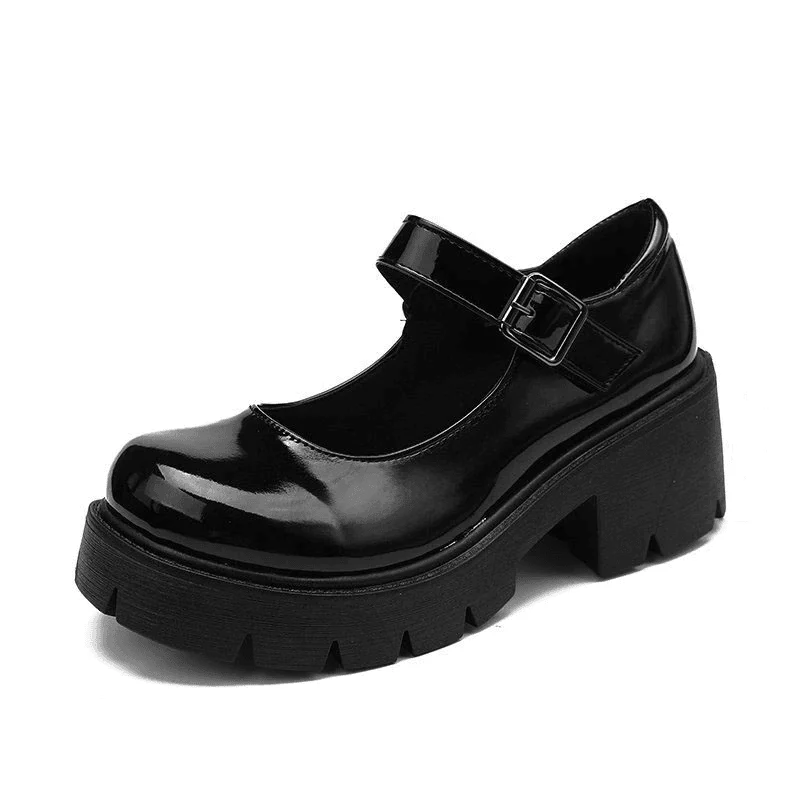
Footwear closes the story, yet it is usually cropped out entirely. Crouch or shoot from knee height: a low angle makes boots and platforms look powerful instead of incidental. The Chunky Mary Janes are a good test — their chunky sole and straps only register when the camera gets low enough to see them.
Low Light, Gigs, and Clubs
Concerts and clubs are where gothic outfits most want to be photographed and where cameras struggle most. Forget perfection and protect sharpness: brace the phone against a wall or railing and use burst mode so at least one frame lands between movements. If the venue has coloured stage light, let it be the light — a red or purple wash looks intentional, while a phone flash over it looks like an accident.
Editing Without Turning Black Into Grey
Editing is where most gothic photos are ruined after a good shoot. The temptation is to drag the shadows slider all the way up to reveal detail, but that is exactly what turns black velvet dusty grey. Lift shadows only slightly — just enough to recover the folds — and keep the black point dark so the deepest shadows stay black.
Next, check white balance. Auto white balance under warm indoor light often pushes blacks toward brown or orange; cooling the temperature slightly restores neutral black. Add a touch of contrast rather than saturation: gothic outfits rely on texture contrast, not colour punch, and oversaturation makes black fabric look artificially blue or purple.
Finally, compare against reality before posting. Hold the phone next to the actual outfit in daylight: if the photo’s blacks are lighter than the garment, pull exposure or shadows back down. A dark, moody photo is forgivable; a grey one that does not match the clothes is not.
FAQ
Why do my black clothes look grey in photos?
Your camera meter assumes the scene averages to middle grey, so it brightens dark outfits to reach grey. Lock exposure on your face and lower it slightly, and the blacks will read as black again.
Should I use flash for gothic outfit photos?
Almost never head-on. Direct flash flattens texture and bounces off hardware. Step toward a steady side light source instead, and save flash for when there is truly no other light.
What background works best for an all-black outfit?
A mid-tone, textured background like stone, brick, or wood, with the subject lit from the side. Pure black backgrounds swallow the outfit unless a rim light outlines your silhouette.